Simple to run. Does a lot.
Everything Sim Ambiance FX does, in plain words.
How your room looks
Day and night, automatically
It sees how dark the race is and changes how your room is lit. No switch to flip.
Light that moves with the track
Headlights, floodlights and sunlight sweep across your walls as they pass on screen.
Your cabin colour
Each car gets its own interior glow. Keep the one it picks, or choose your own.
What it shows you
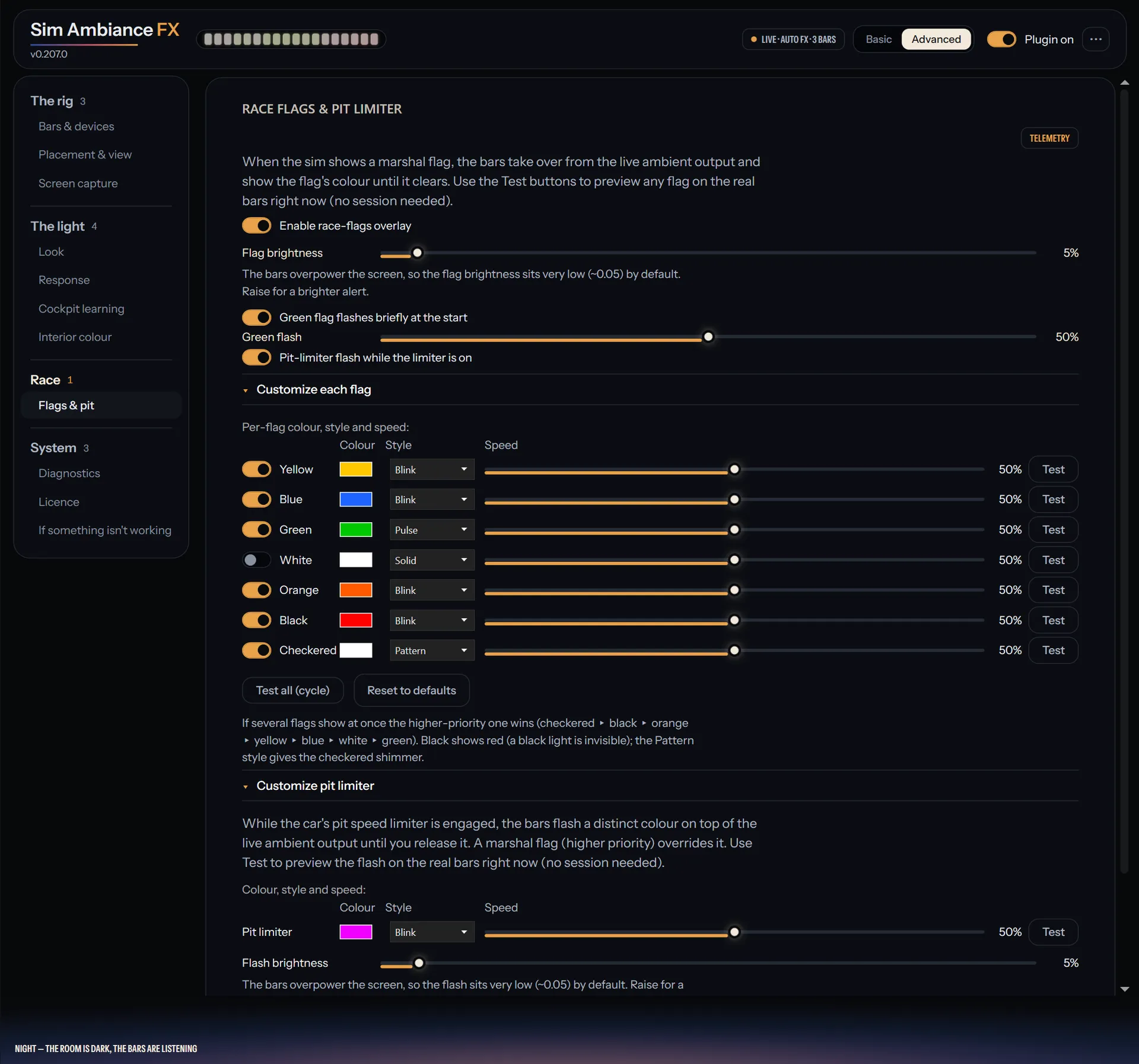
Race flags
Flags light the room, so you feel them before you read them.
Pit limiter
Your lights tell you the limiter is on.
How little you do
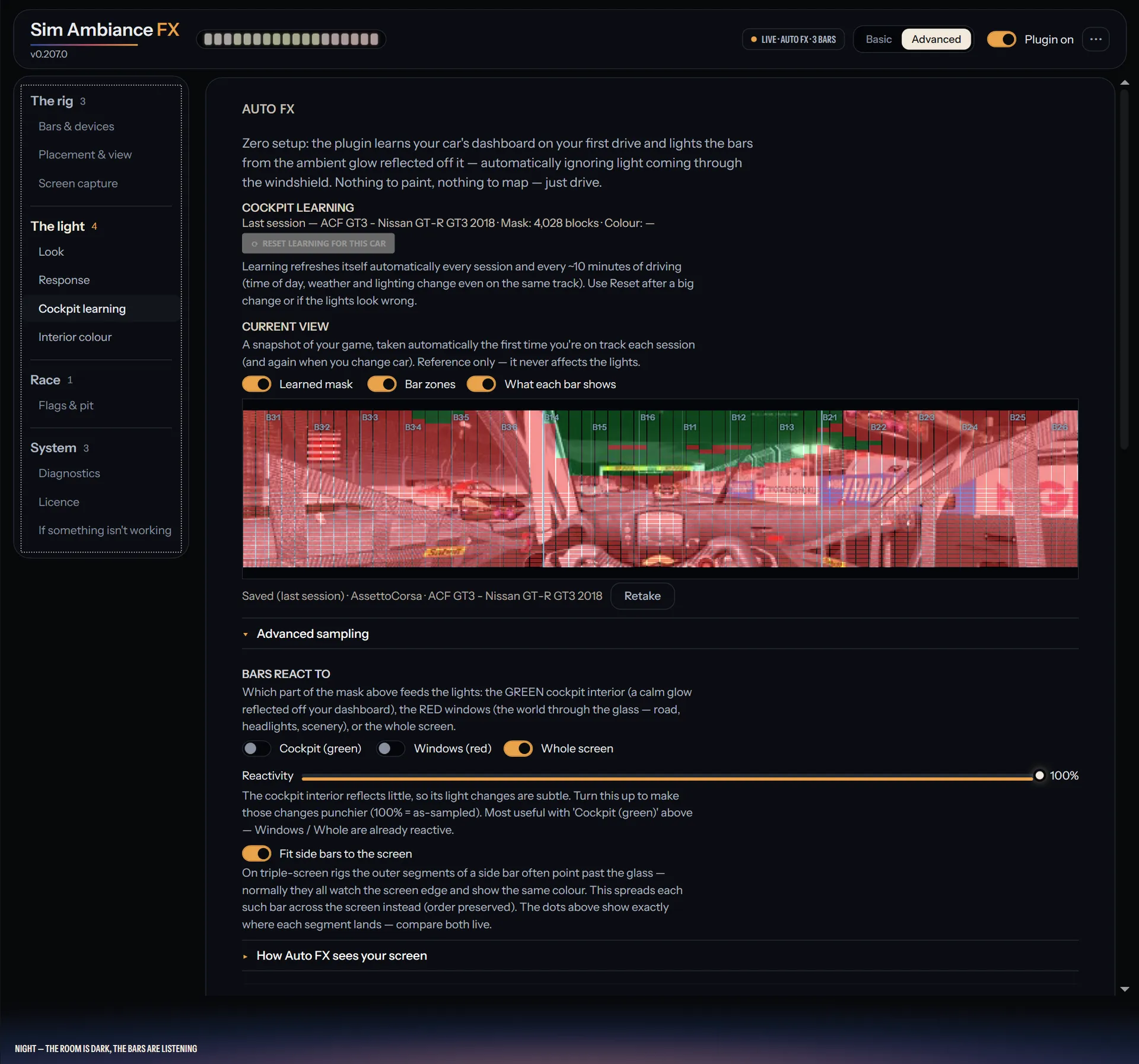
Learns every car
It works out each cockpit while you drive and remembers it next time.
Sets itself up
It finds your screen and your light bars on its own.
Puts itself back together
Unplug a light bar and plug it back in, and it lines itself up again.
See what it sees
A live preview shows exactly what it is reading from your screen.
What it works with
Your lights
Lights that work in SimHub's Ambient Lights. So far it has only been tested on Govee lights.
Your screens
Single, ultrawide or triple monitors.
Your sims
The lighting works with any sim you can see on screen. Flags and the pit limiter need a game SimHub supports.
Your Stream Deck
The download includes a Stream Deck plugin and a ready-made profile with over 40 Sim Ambiance FX functions. The keys show what is on.
Dashboards come with it too.
Four designs, each in 16:9, 21:9 and 32:9. Pick one in the plugin and it opens on your spare screen when you go on track.
Run it from your Stream Deck.
A Stream Deck plugin and a ready-made profile come in the download: over 40 Sim Ambiance FX functions, and keys that show what is on.
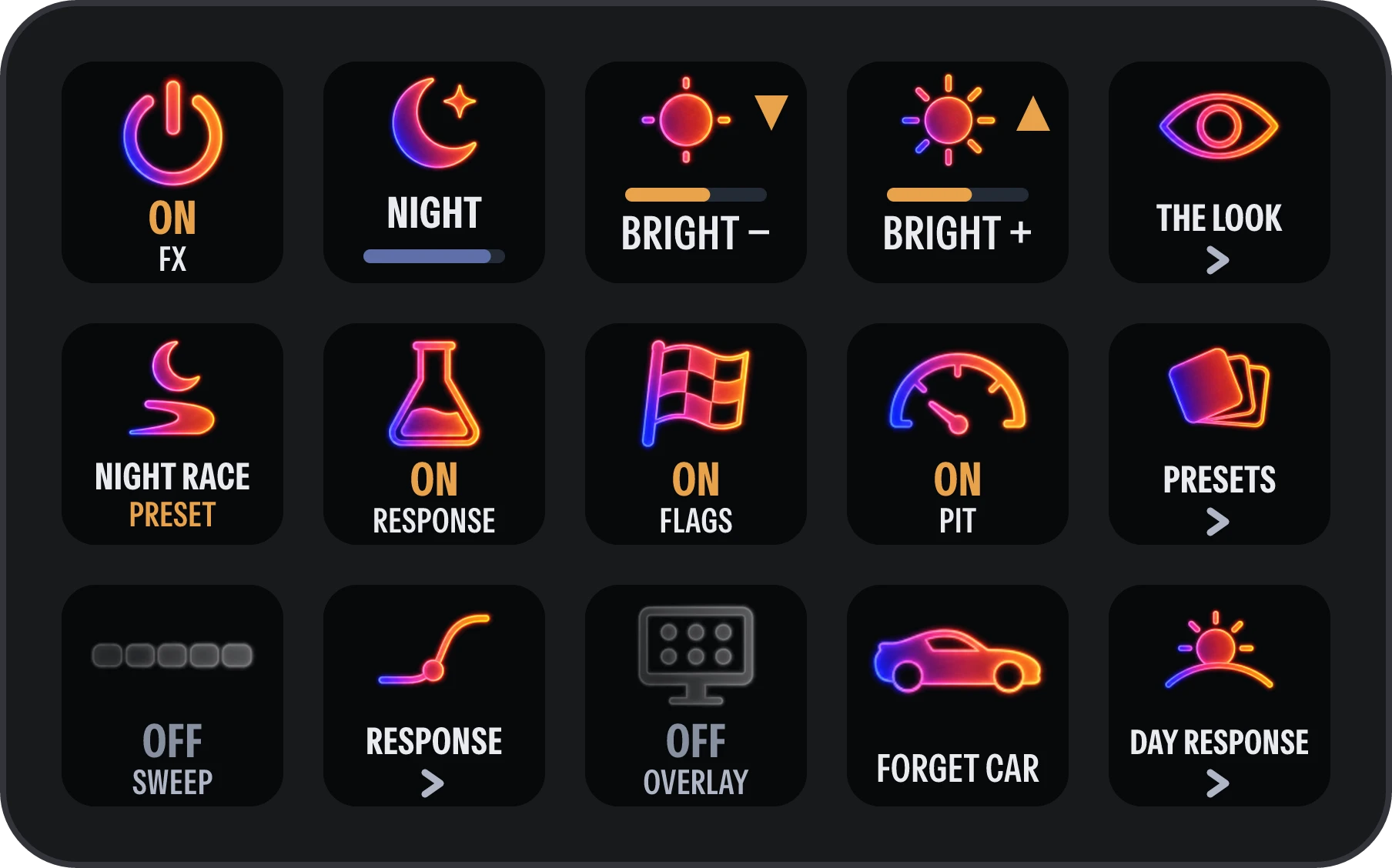
The keys as the plugin draws them, during a night race on the Night race preset.