Run it from your Stream Deck.
The download includes a Stream Deck plugin and a ready-made profile at no extra cost. You get over 40 Sim Ambiance FX functions, one press each, and the keys show what is on.
Five pages, already laid out.
The profile opens on the main page. The keys on the right open the other four.
- In the download, at no extra cost: a Stream Deck plugin and a ready-made profile.
- Over 40 Sim Ambiance FX functions on five pages.
- Keys show what is on: ON or OFF, the level, the running preset, night or day.
- Laid out for the 15-key Stream Deck. On other models, drag the functions you want onto your own keys.
- Needs the Stream Deck app 6.5 or later, on the PC that runs SimHub.
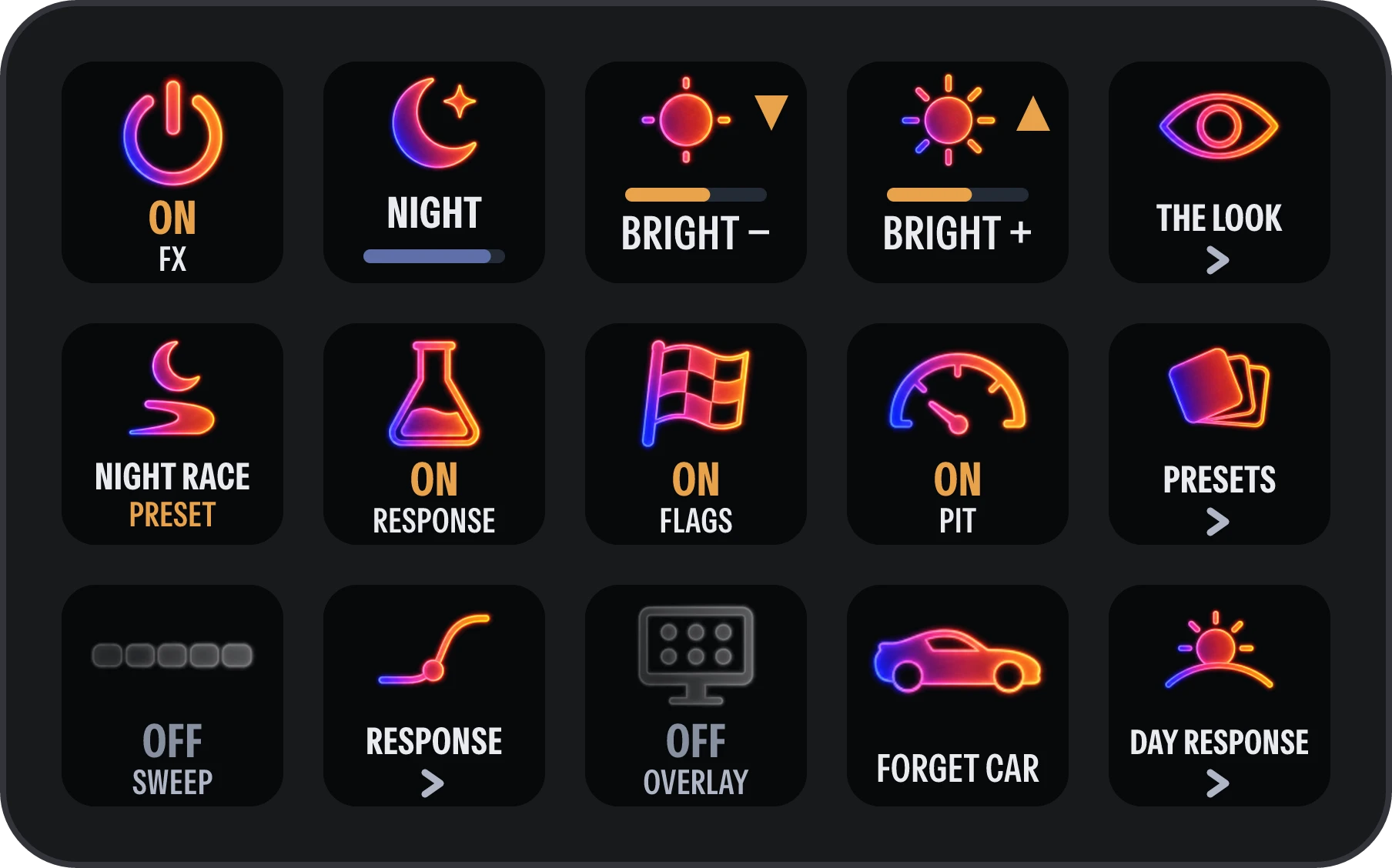
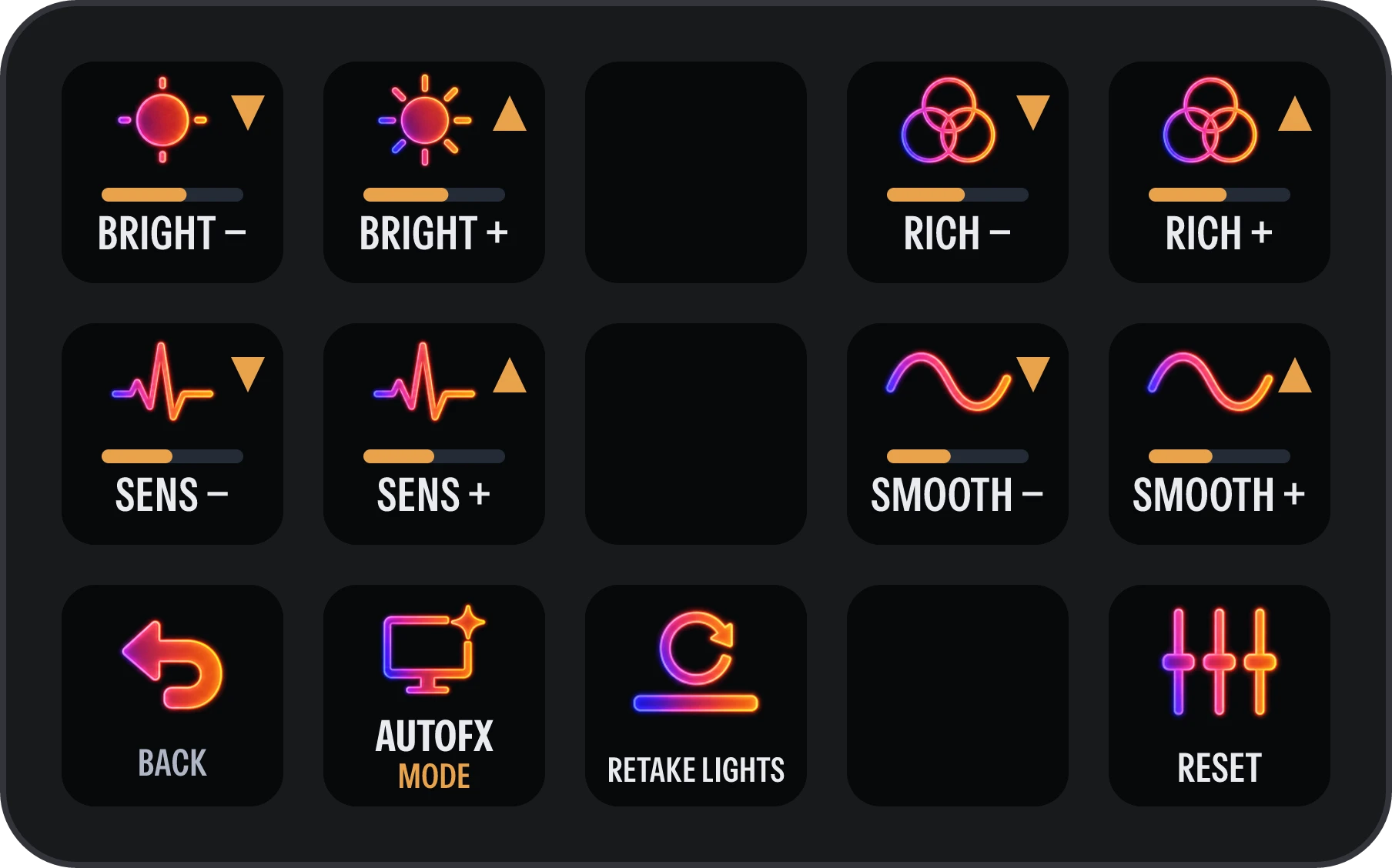
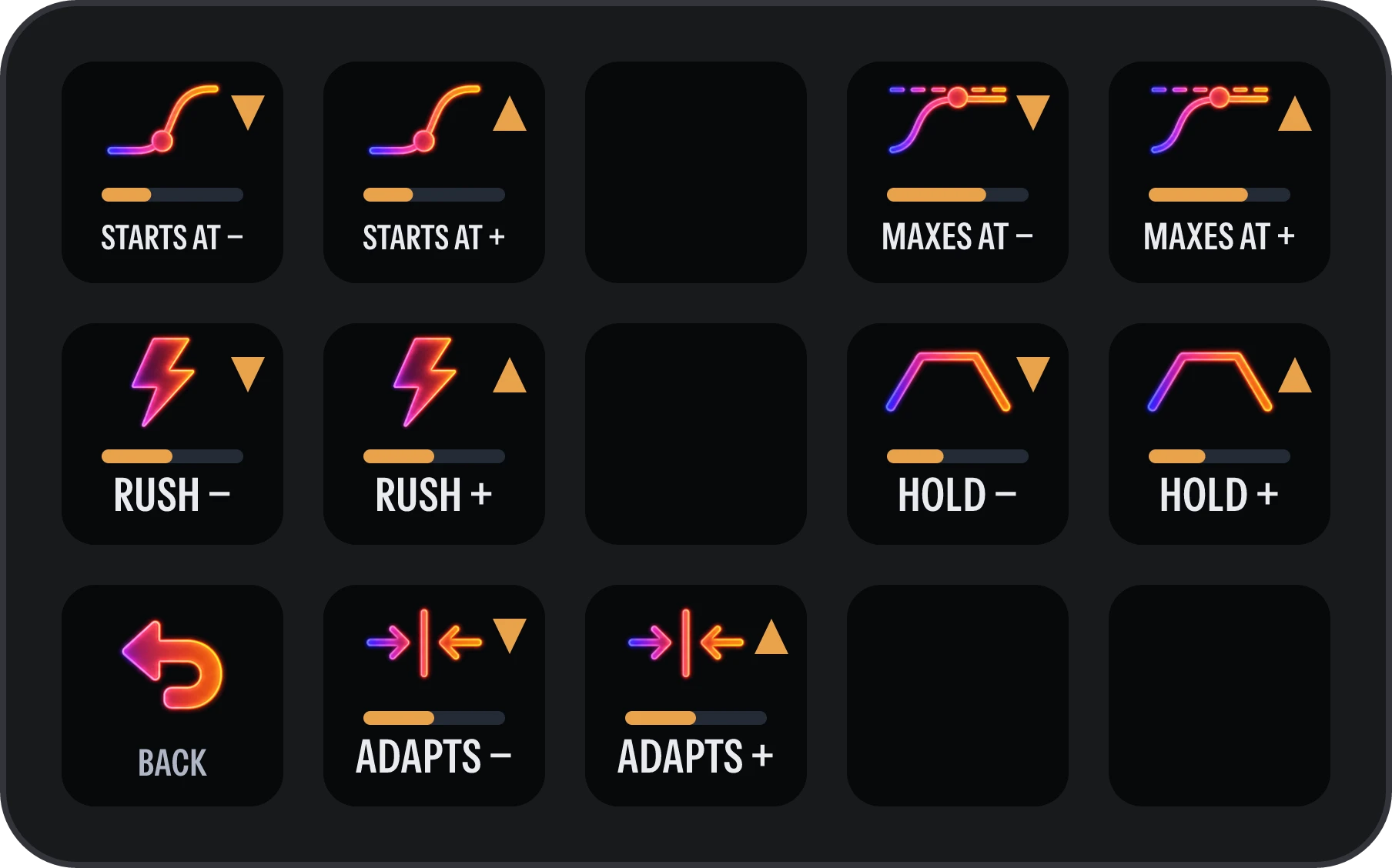
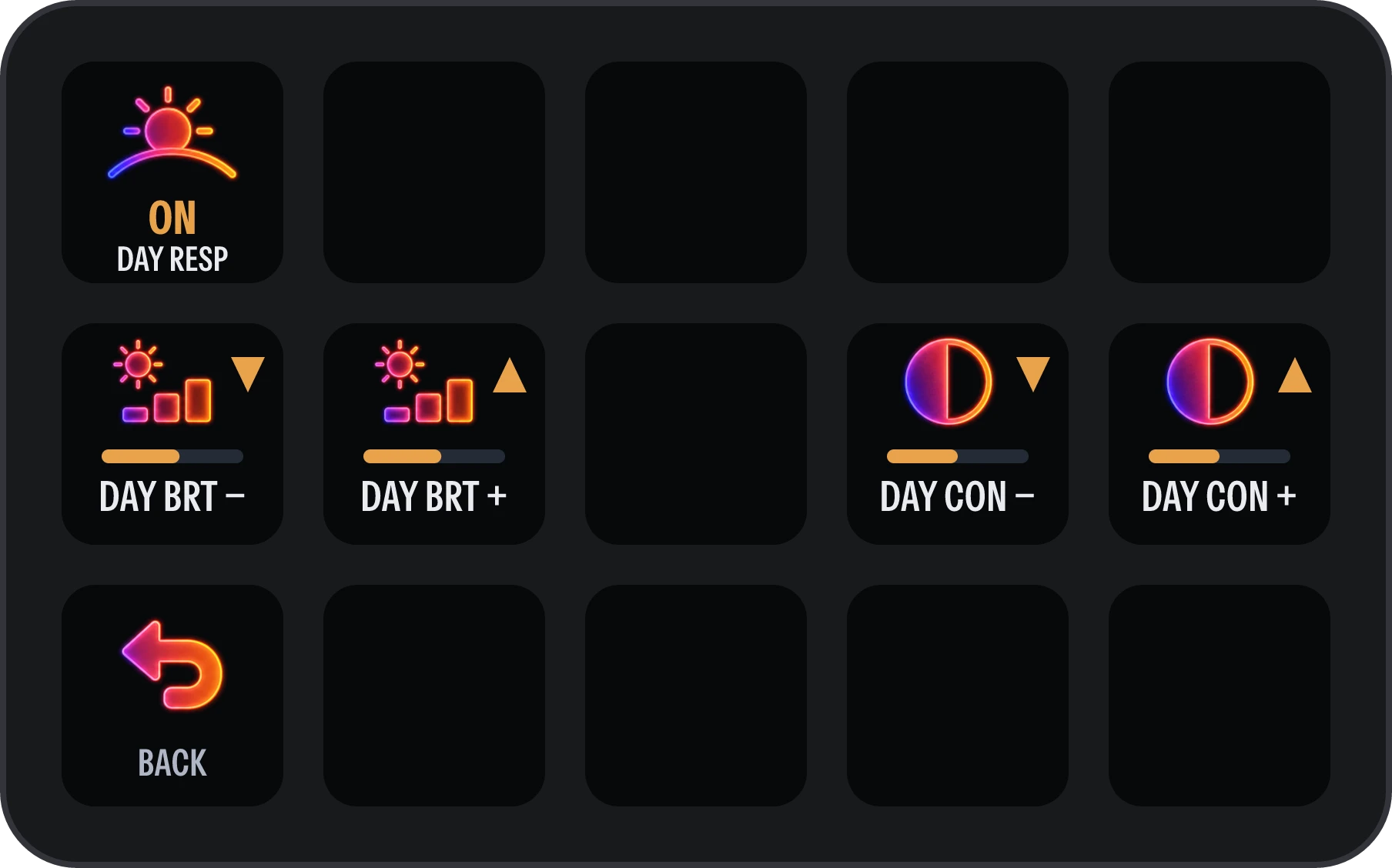
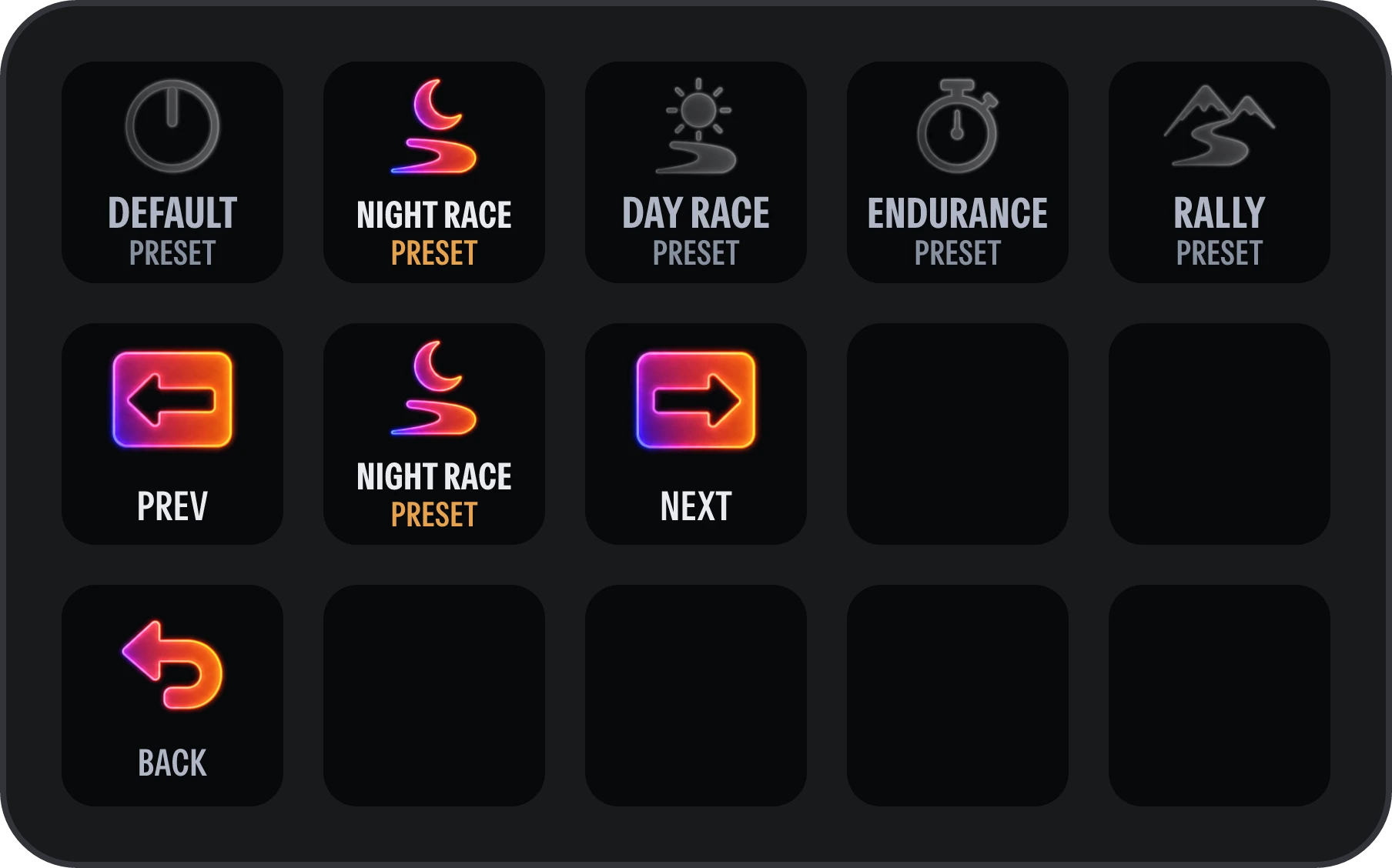
The keys as the plugin draws them, during a night race on the Night race preset.
What each key does.
These are the keys as the plugin draws them, shown during a night race. A key with a level or an ON or OFF updates as it changes.
Main
-

Power
Turns Sim Ambiance FX on or off. Shows ON or OFF.
-

Light on track
Shows the light the plugin sees on track right now: NIGHT, FIRST LIGHT, DAWN, DAY or BLACKOUT. Nothing to press.
-


Brightness
Down and up, a step at a time. Shows the level.
-

Current preset
Shows the running preset. Press it for the next one.
-

Experimental light response
The newer light response, tuned on the Night and Day response pages. Shows ON or OFF.
-

Race flags
Race-flag lighting on or off. Shows ON or OFF.
-

Pit limiter
Pit-limiter lighting on or off. Shows ON or OFF.
-

Test sweep
Runs a light sweep across your bars, to check where each one sits and that it is wired right.
-

Sample overlay
Shows which parts of the screen the plugin samples. Shows ON or OFF.
-

Forget car
Forgets what it learned about this car's cockpit, so it learns it again.
The look
Brightness sits here too.
-


Colour richness
Down and up. Shows the level.
-


Sensitivity
How strongly the lights react to the screen, down and up.
-


Smoothing
Down and up. Shows the level.
-

Reset the look
Puts the four look sliders back to their defaults.
-

AutoFX
Switches to AutoFX, the main mode. Lit while it runs.
-

Retake lights
Reconnects to the lights if SimHub restarts its light output.
Night response
-


Starts at
How bright the screen must get before the lights answer at all.
-


Maxes at
How bright the screen must get for the lights to reach full.
-


Rush
How fast the lights rise to a bright moment.
-


Hold
How long the lights hold a bright moment before falling away.
-


Adapts
How quickly the lights settle after the scene gets brighter or darker.
Day response
-

Daytime response
Lets the lights answer the screen in daylight too, not only at night. Shows ON or OFF.
-


Day brightness
How much light the bars give in daylight.
-


Day contrast
How sharply the daylight lights separate bright from dark.
Presets
Current preset sits here too.
-


The five presets
One press switches to that preset. The one running is lit.
-


Previous and next
Step through the presets, your own saved ones included.
Add it to your Stream Deck.
- 01
Install Sim Ambiance FX
Set up the SimHub plugin first. It takes about two minutes.
- 02
Add the Stream Deck plugin
With the Stream Deck app (6.5 or later) running, open the Stream Deck folder in the download and double-click SimAmbianceFX.streamDeckPlugin.
- 03
Add the profile
Double-click SimAmbianceFX.streamDeckProfile. The "Sim Ambiance FX" profile appears on your deck, ready to use.
The profile is laid out for the 15-key Stream Deck. On other models, drag the actions you want from the "Sim Ambiance FX" category onto your own keys. The keys work while SimHub is running.