Every screen, one step at a time.
Real screenshots of Sim Ambiance FX, in the order you meet them.
-
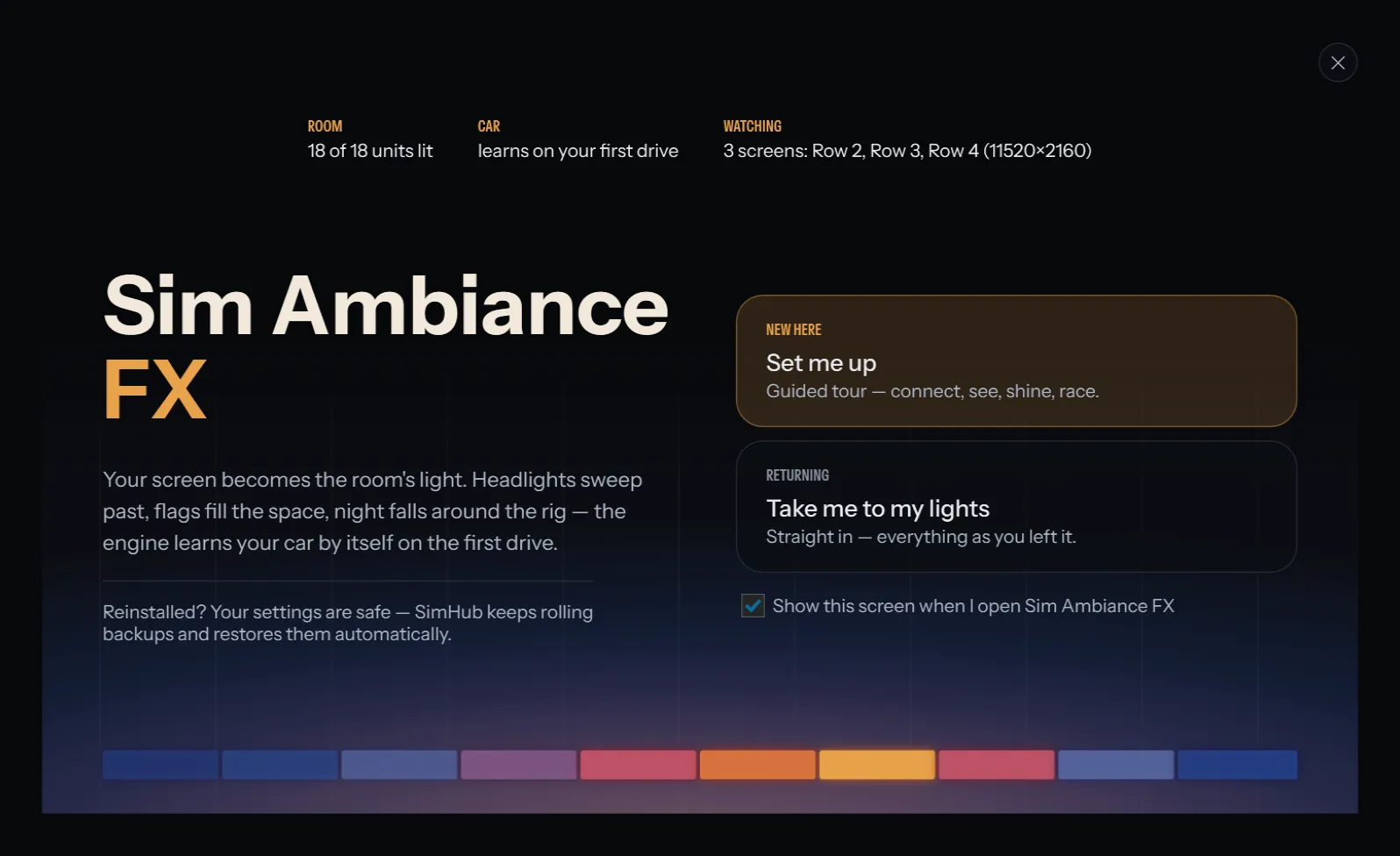
First open
A welcome, not a wall of settings
New here? "Set me up" walks you through four short steps. Back again? One click takes you straight to your lights.
-
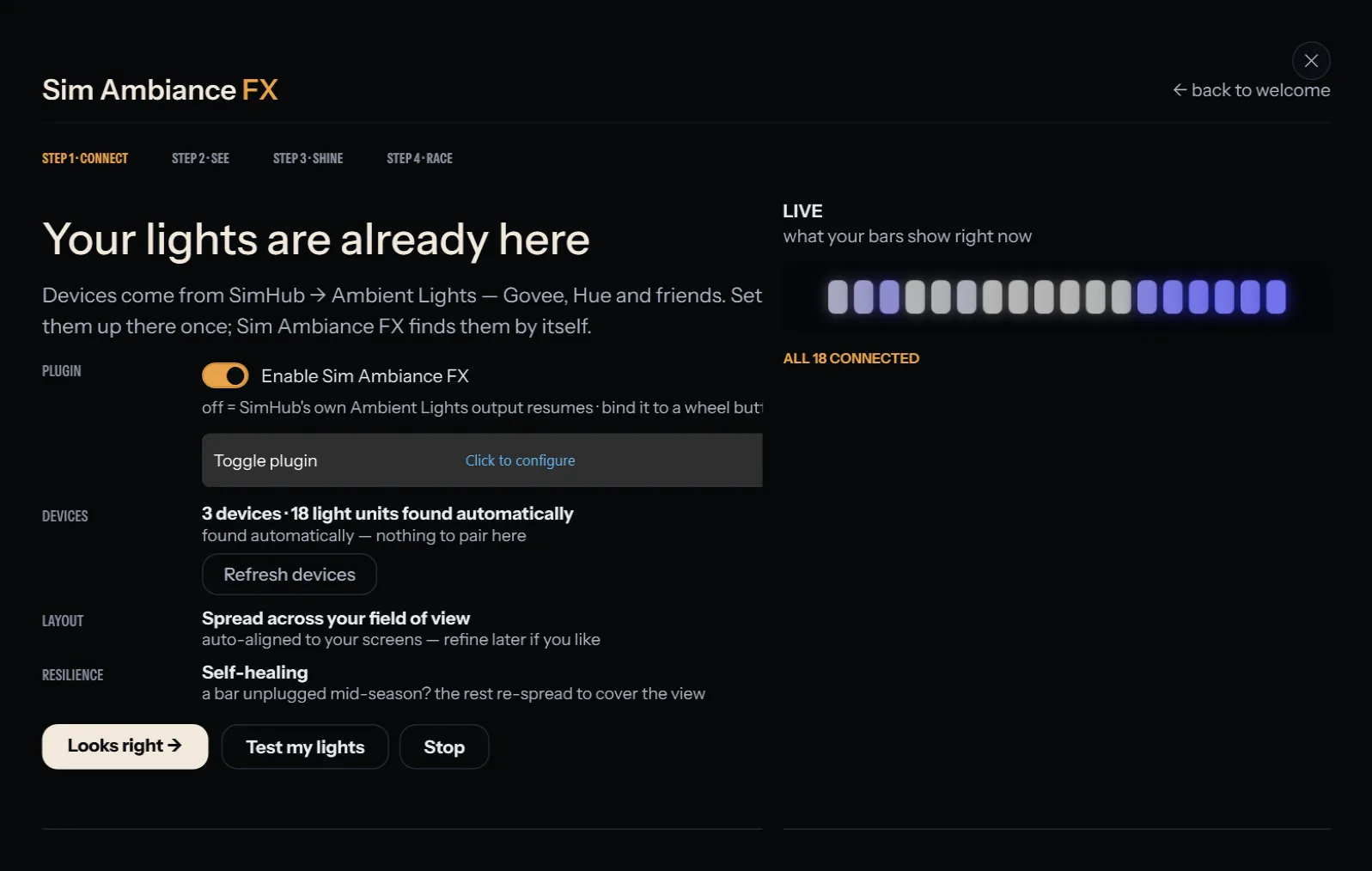
Guided setup · 1 of 4
Your lights are already there
It finds the lights you already set up in SimHub. Test them with one click and watch the live strip.
-
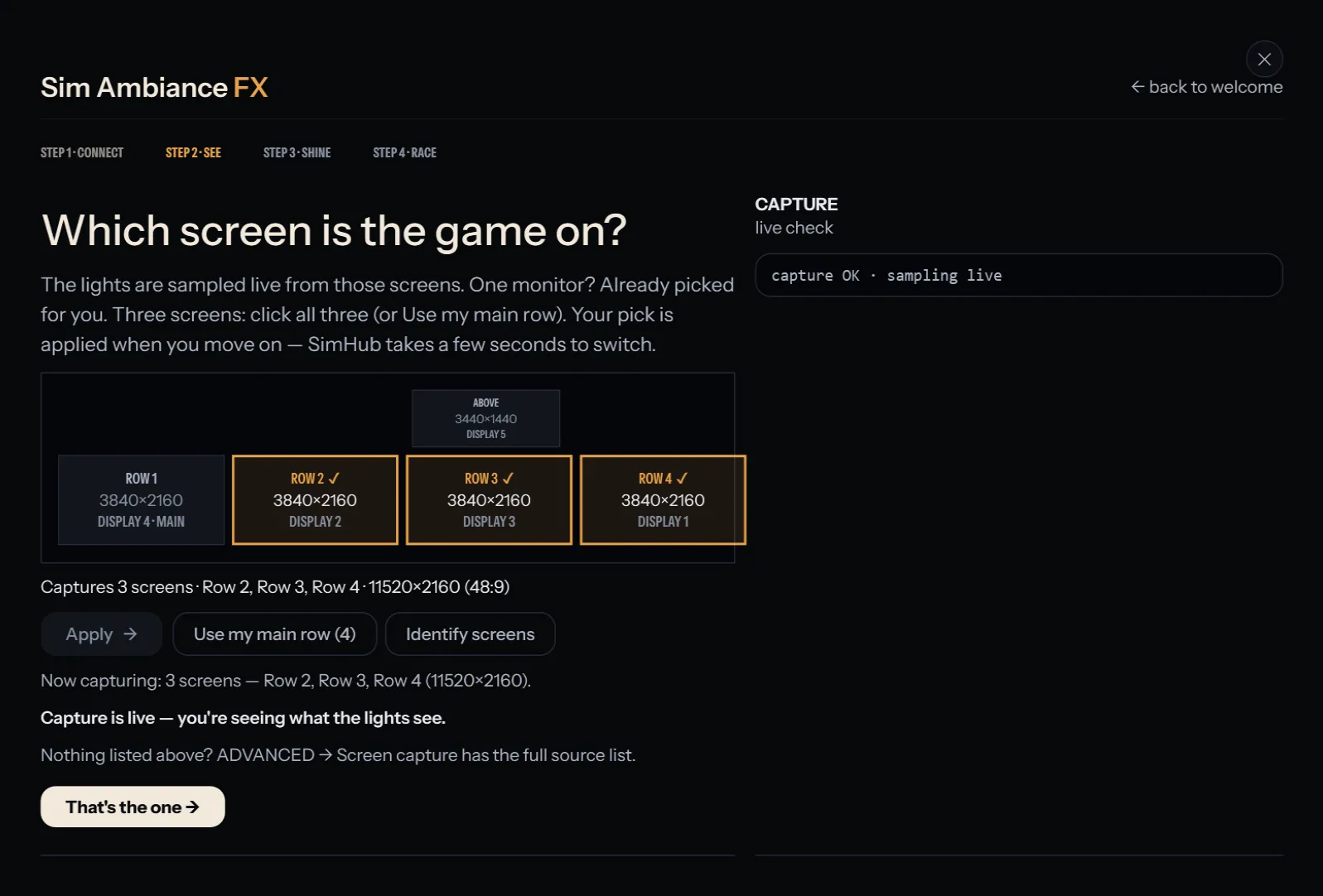
Guided setup · 2 of 4
Which screen is the game on?
Pick the screen your game is on, or all three on a triple rig.
-
Guided setup · 3 of 4
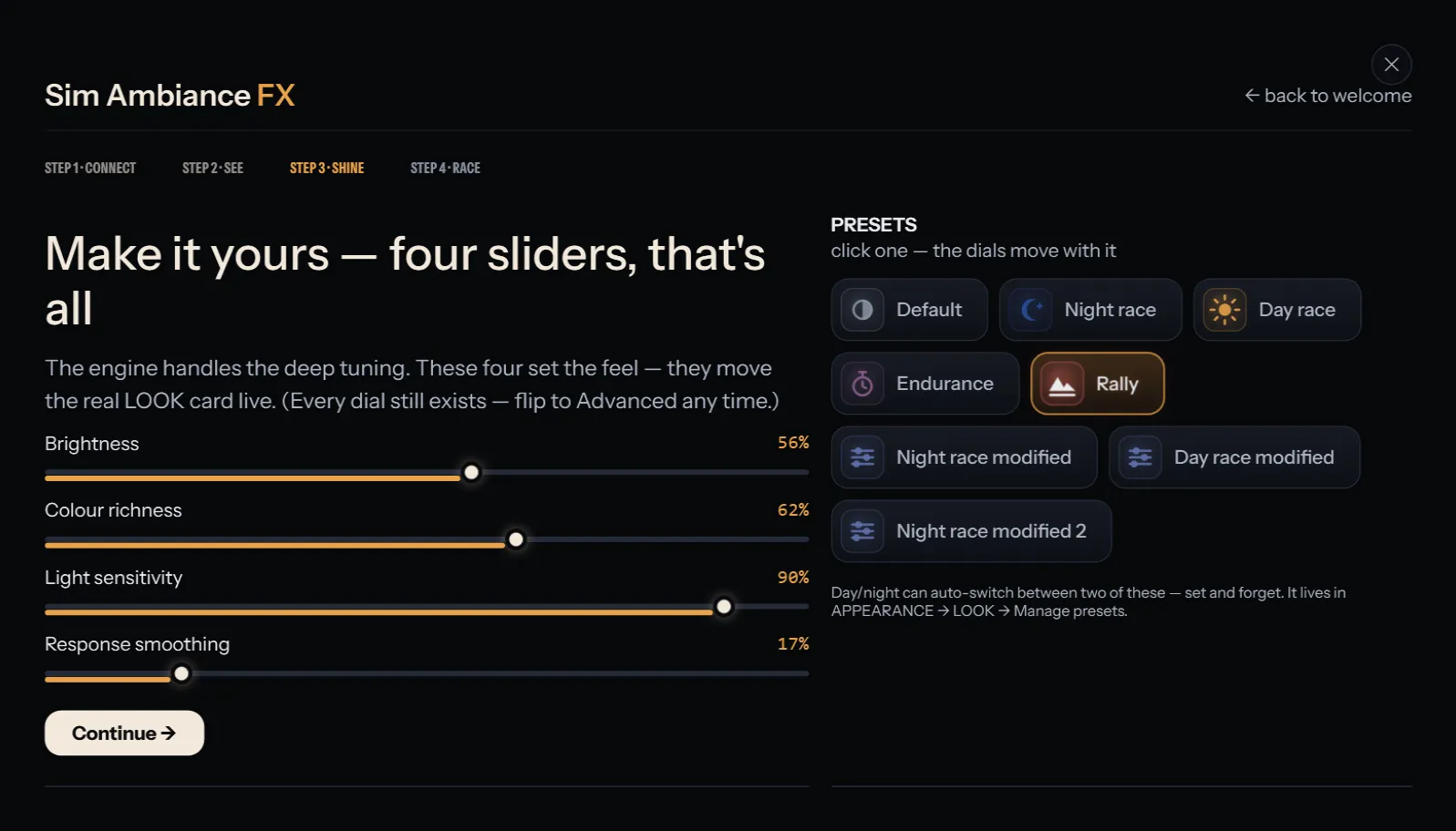
Make it yours
Four sliders and a set of presets decide how bright and how lively your room is.
-
Guided setup · 4 of 4
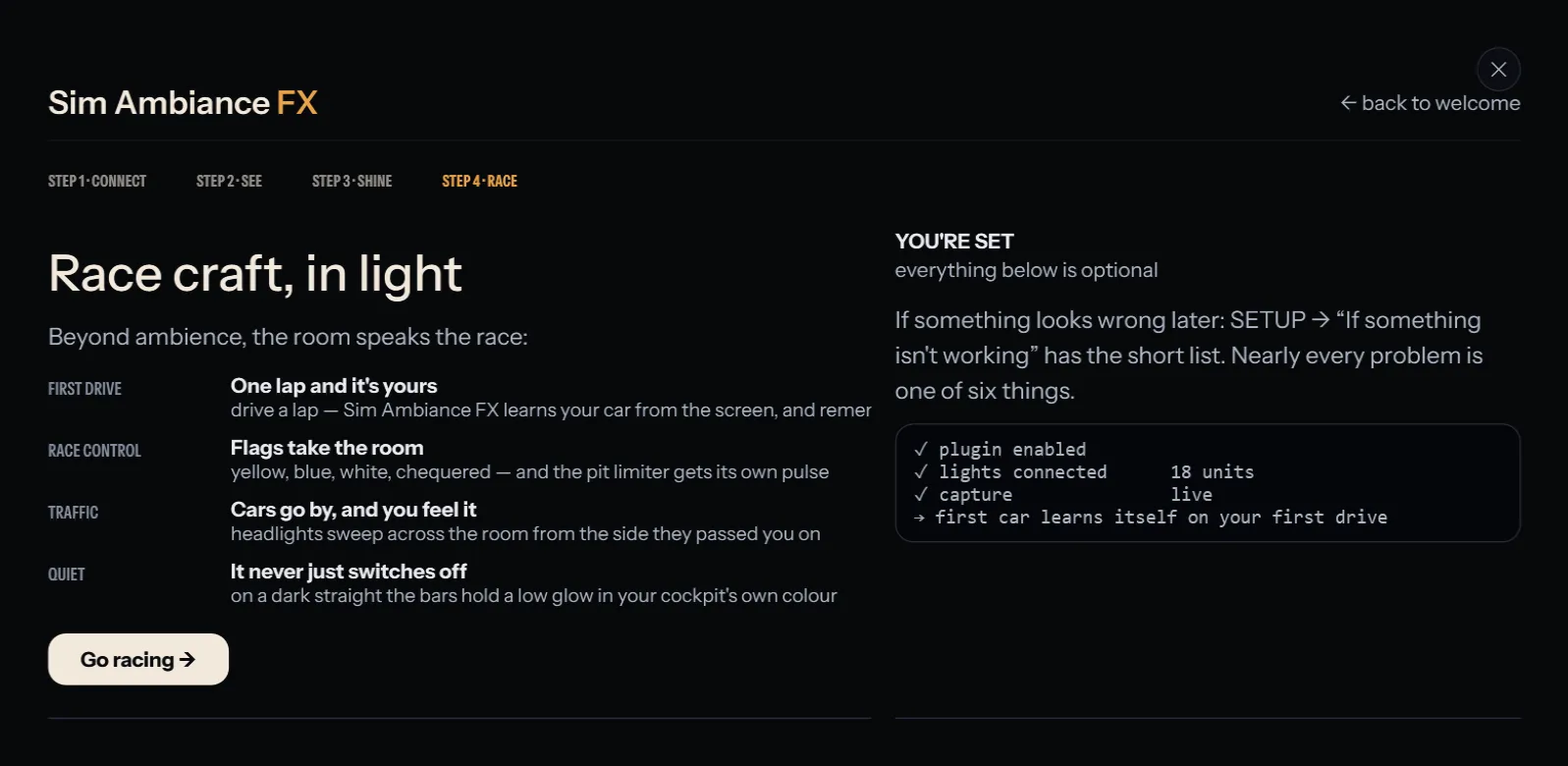
Go racing
What to expect on track: flags, the pit limiter, and how it learns your car on the first drive.
-
Every day
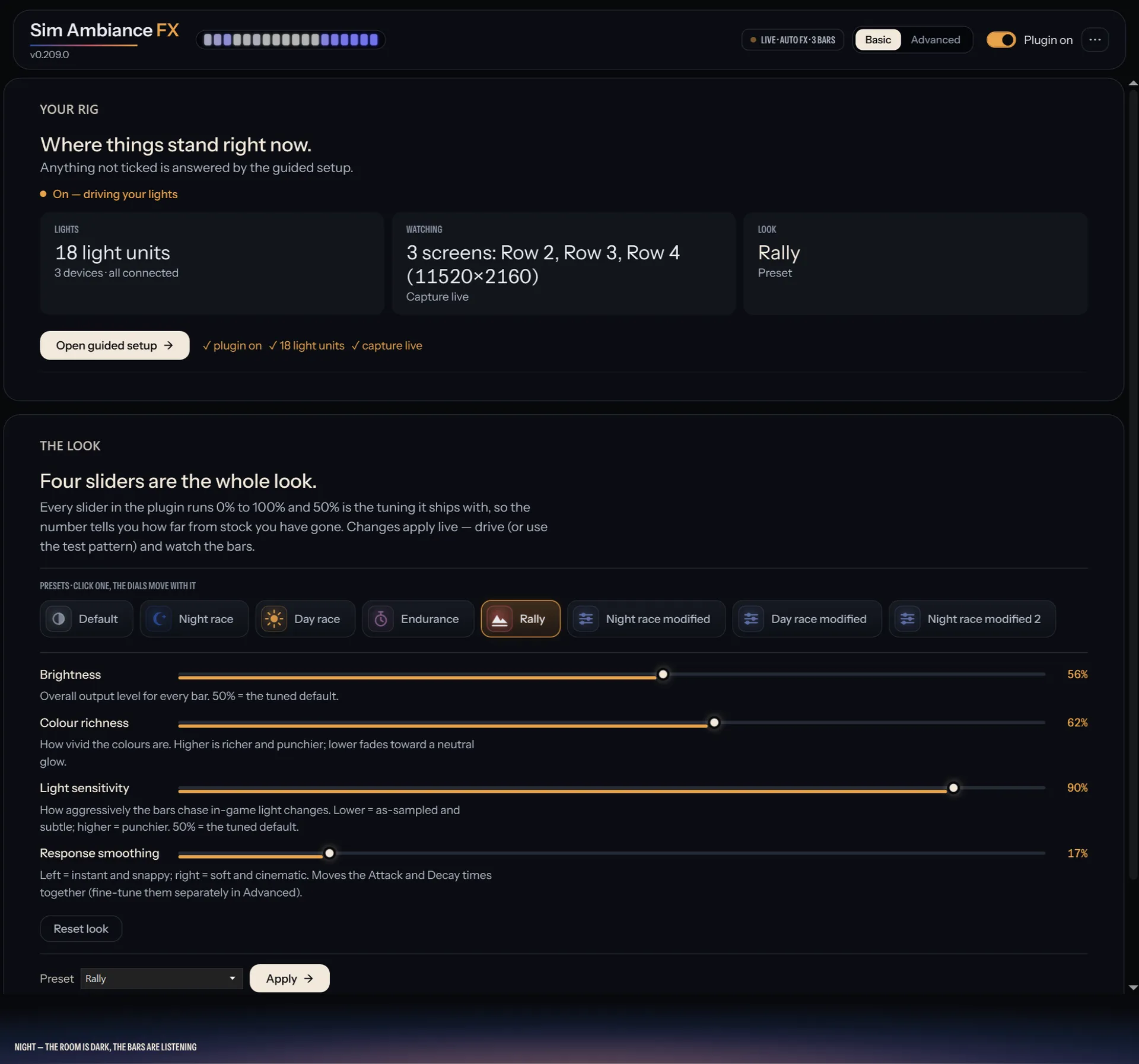
One page for every day
Where your rig stands, the four sliders and the presets. Most people never need more than this.
-
Advanced
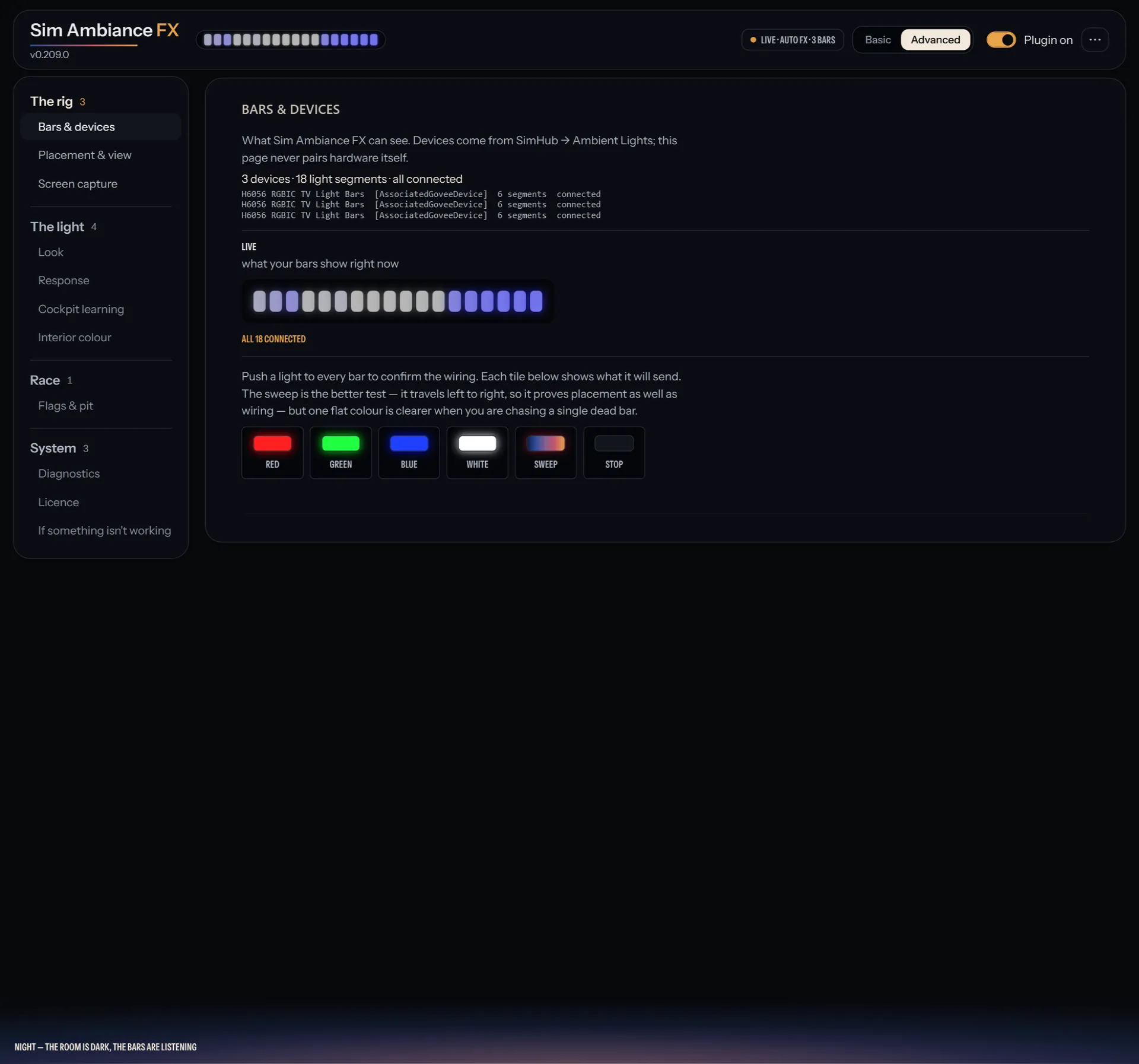
Your lights
Every bar SimHub found, a live strip of what each one shows right now, and test colours to check the wiring.
-
Advanced
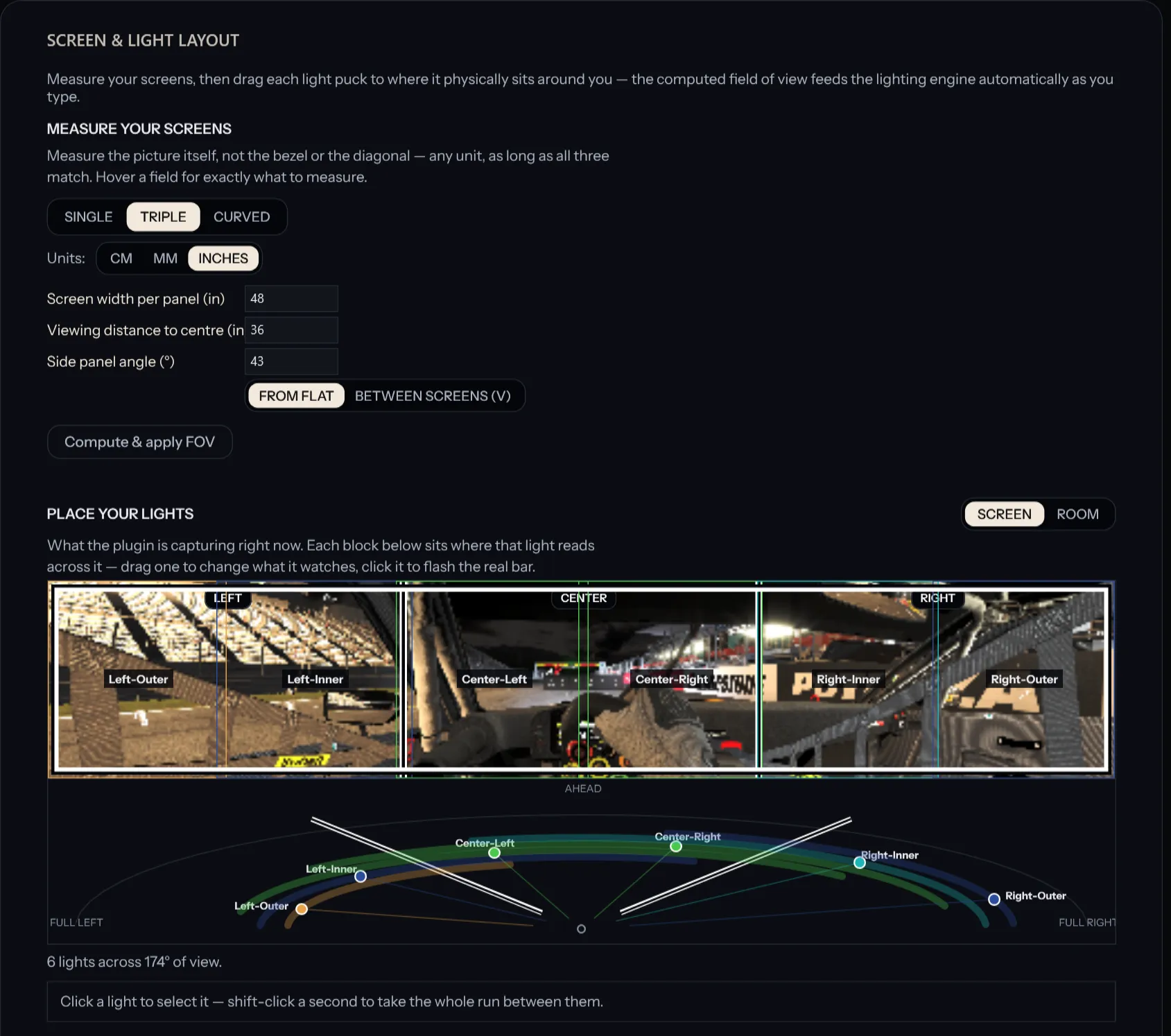
Where your lights sit
Tell it your screens, then see exactly which part of the picture each light reads, so light crosses the room the way it crosses the screen.
-
Advanced
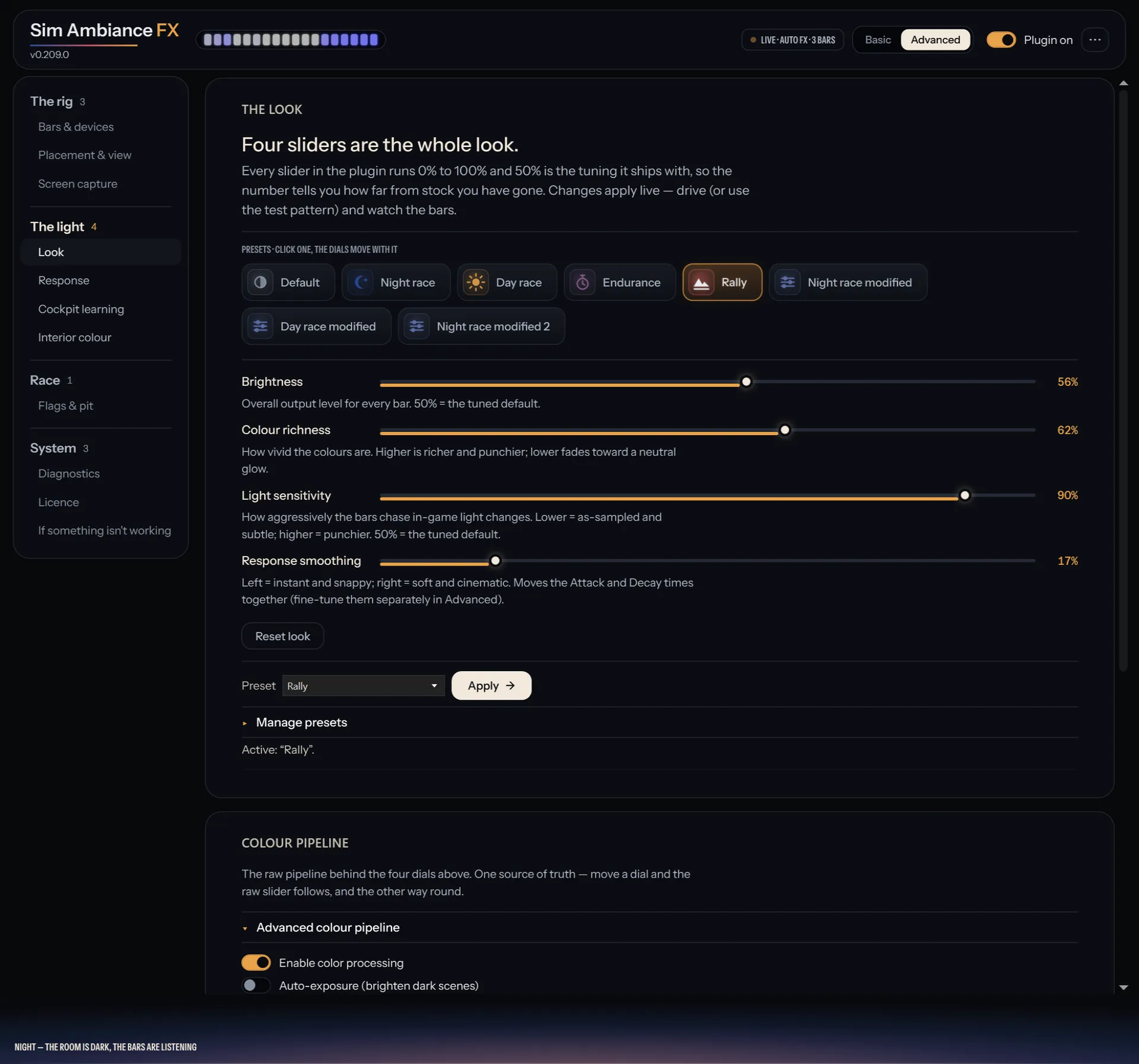
The look
Presets for day, night and endurance races, and the same four sliders, with every change shown live.
-
Advanced
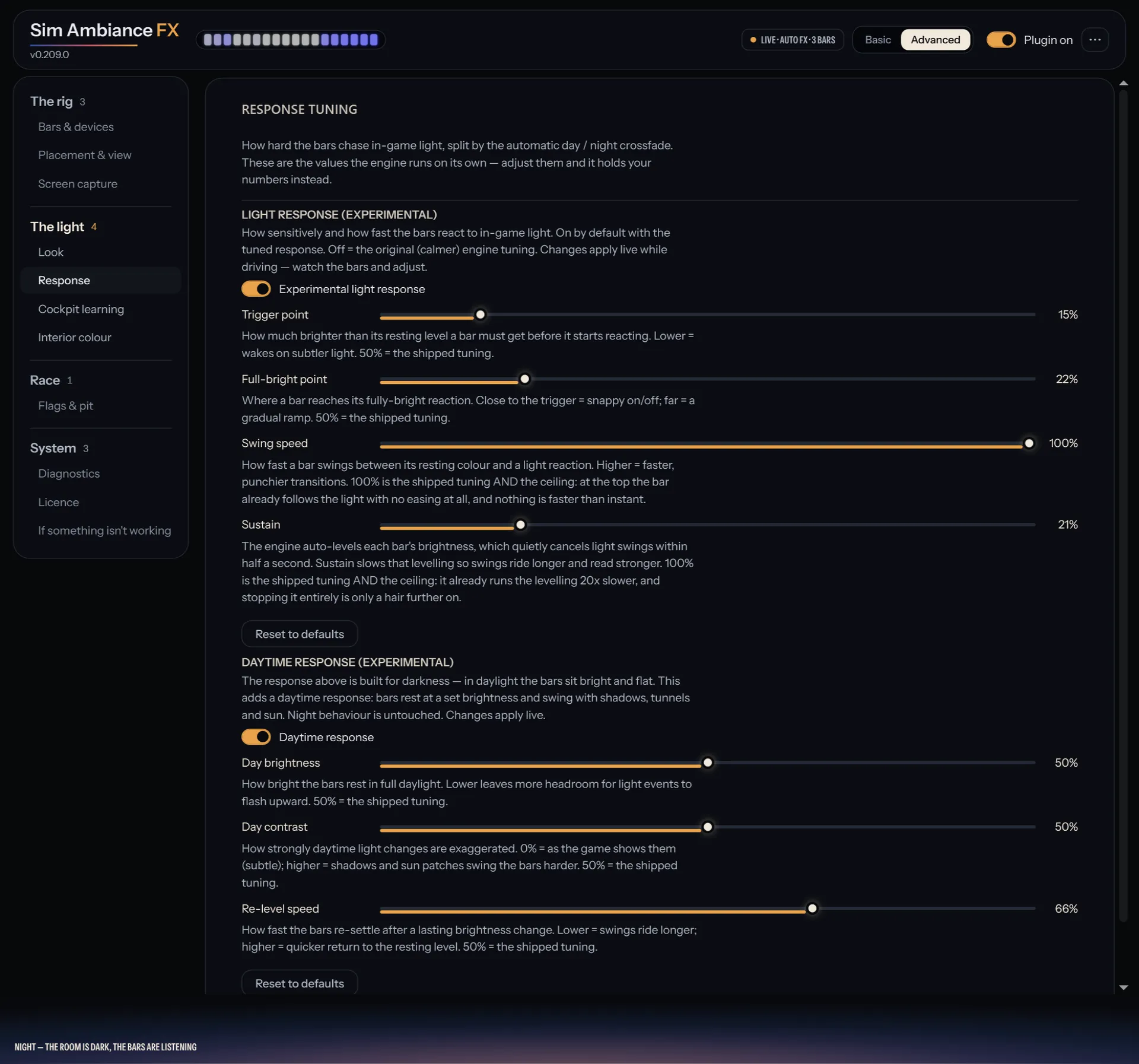
How it reacts
How quickly the room follows the track, with its own settings for night and for day.
-
Advanced
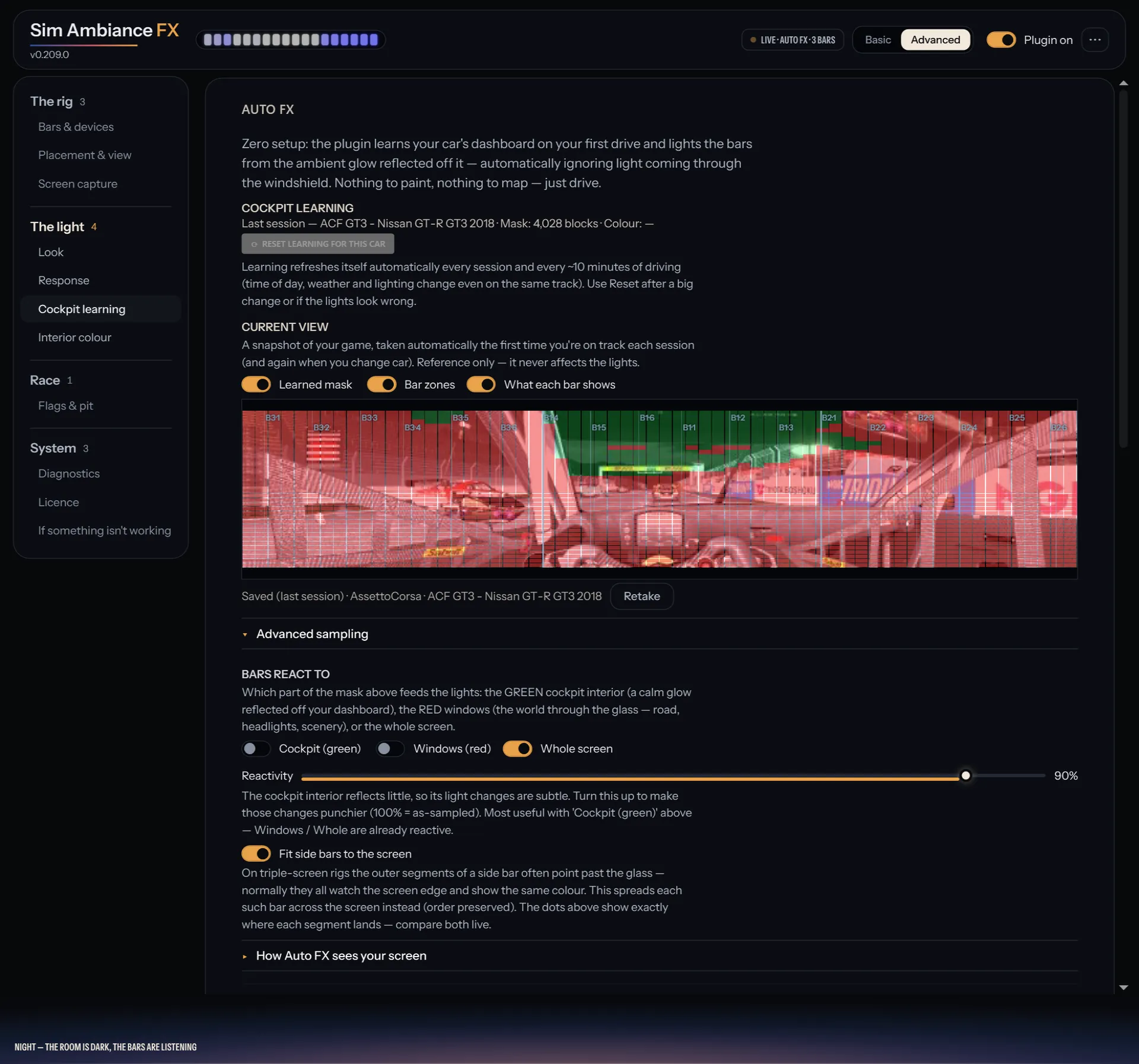
It learns every car
A snapshot of each cockpit it learned on your first drive, saved and used again next time.
-
Advanced
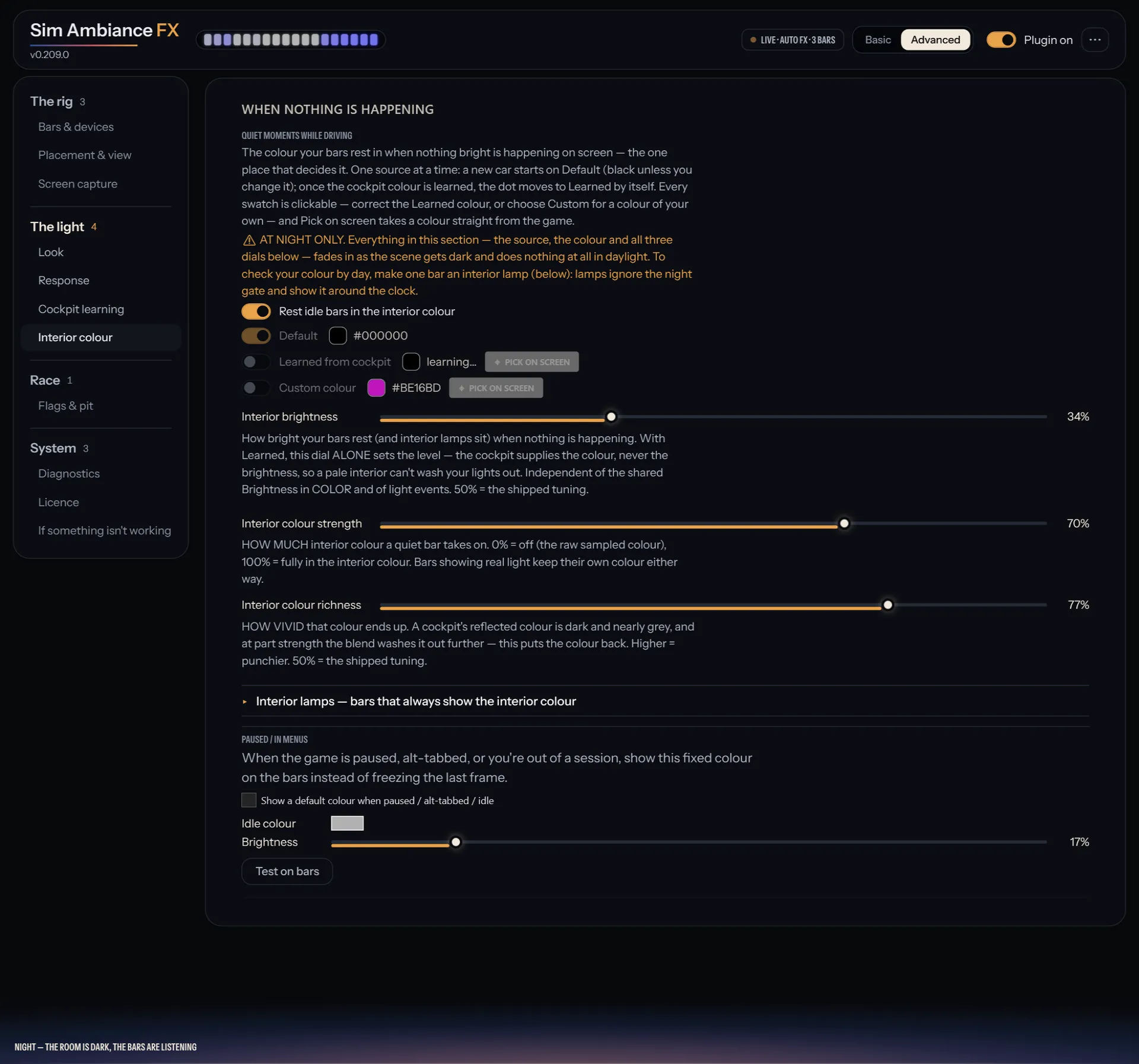
When nothing is happening
The glow your room rests in on a dark stretch of track. Keep the cabin colour it learned, or pick your own.
-
Advanced
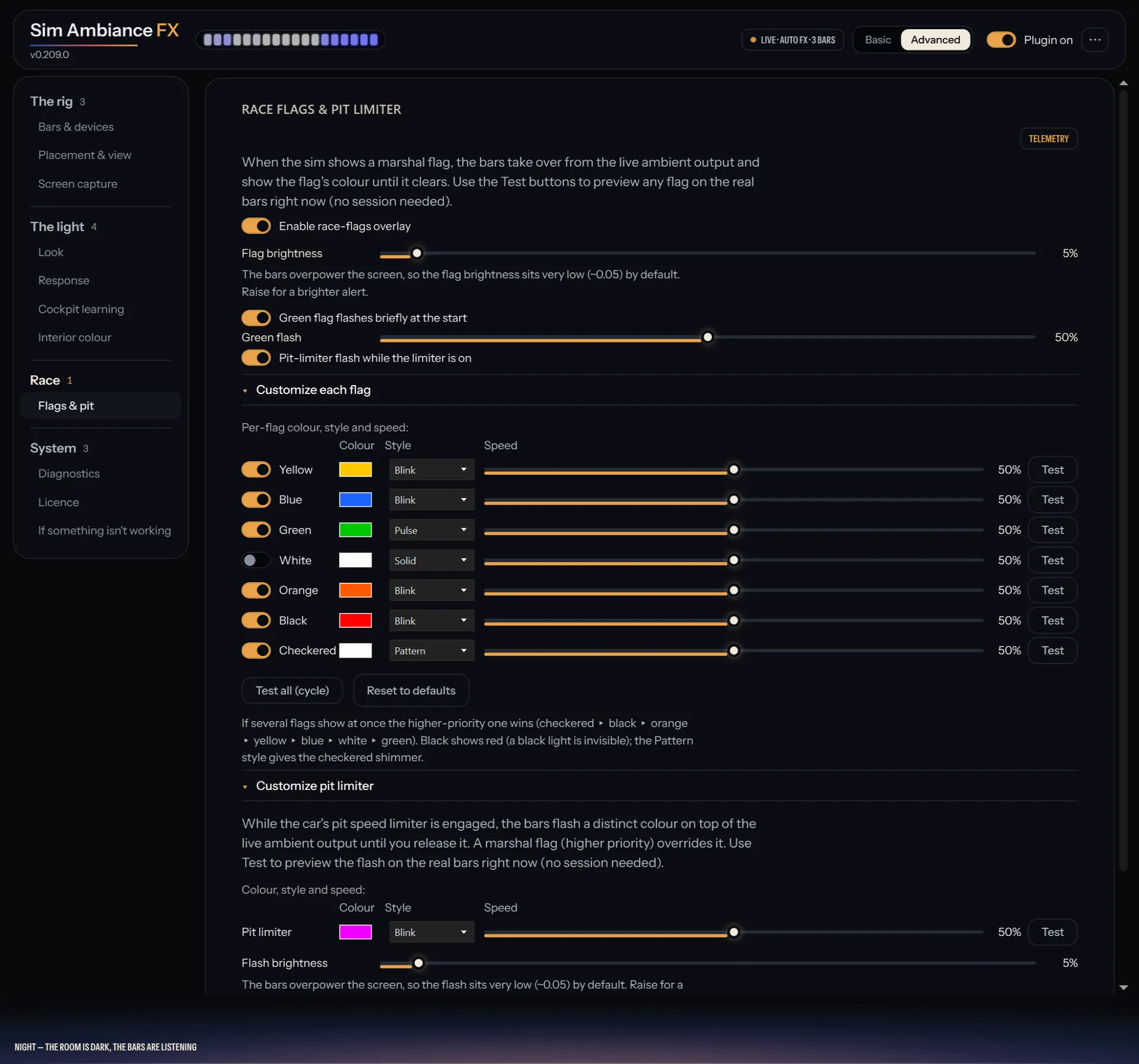
Flags and the pit limiter
Choose each flag's colour and style, and test them on your bars before a race.
-
Advanced
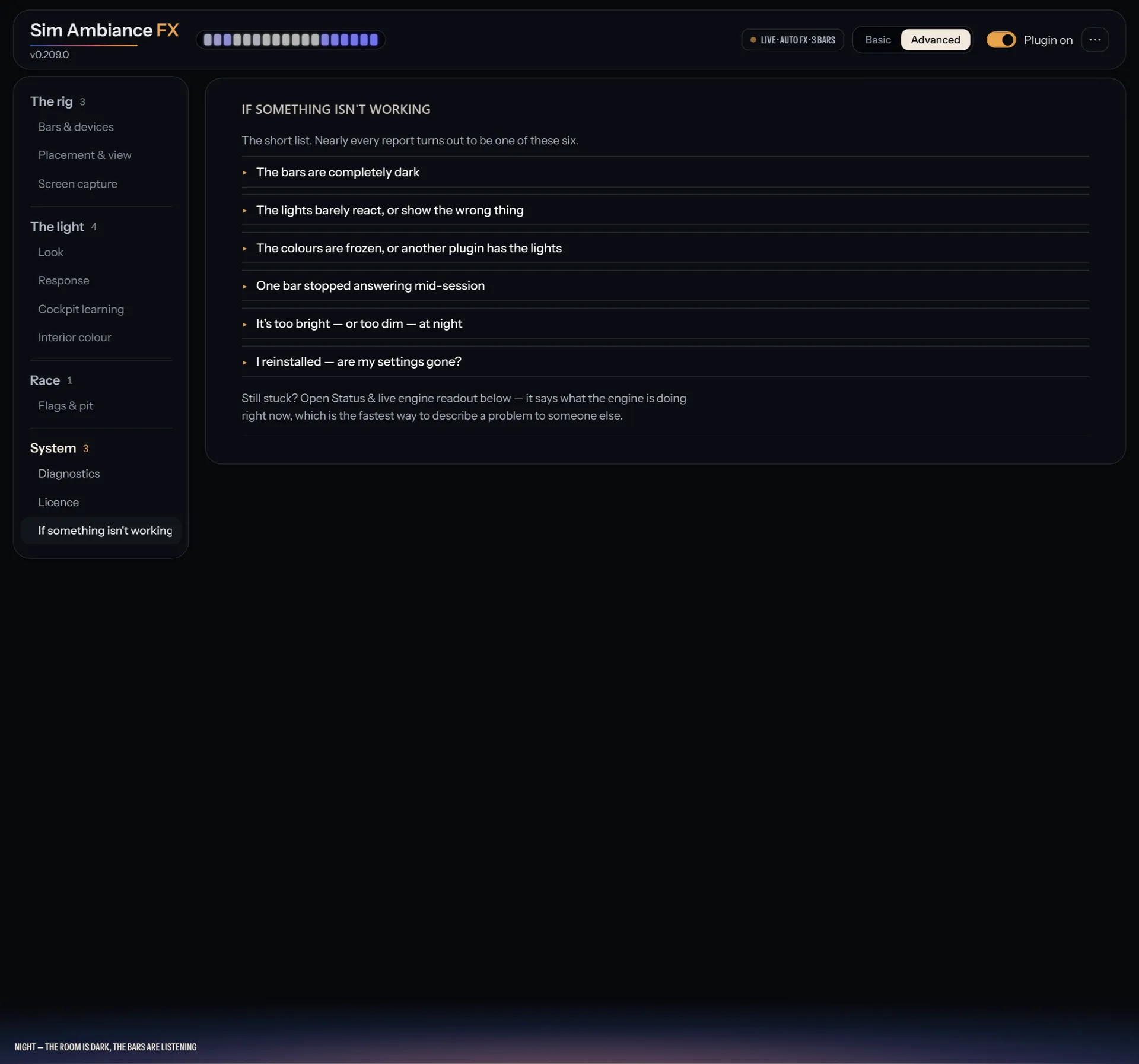
Help built in
The usual problems and their fixes, right inside the plugin.
-
In the download
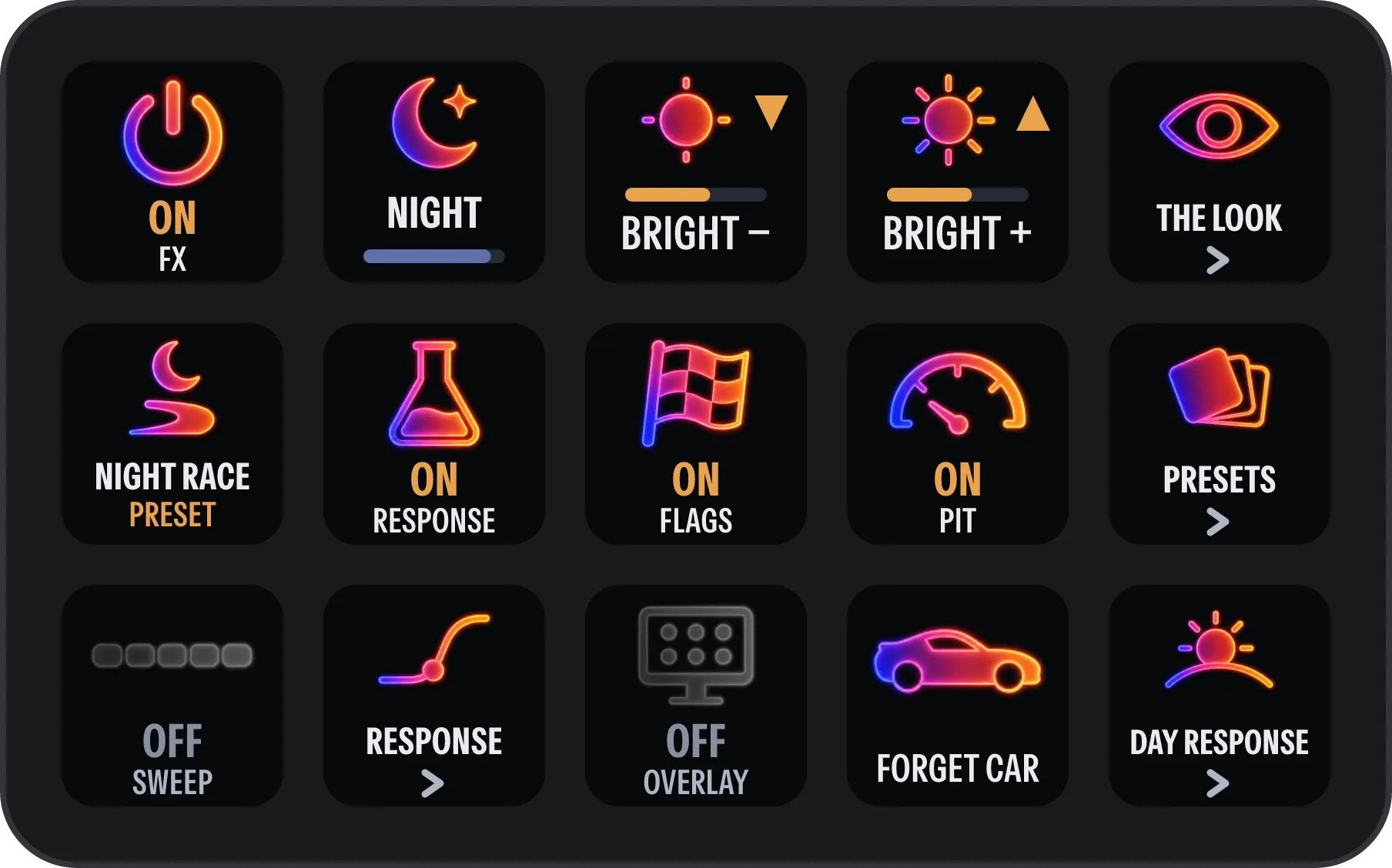
Your Stream Deck
A Stream Deck plugin and a ready-made profile come in the download: over 40 functions on five pages, and keys that show what is on.